Receipts and business records: a practical system for small businesses
2,501 words · 12 min read · Updated 2026-11-26. General information, not legal or tax advice.
A receipt usually confirms that a payment was received or a purchase was made. It is not automatically an invoice, a contract, or proof that a particular expense is deductible. Those documents answer different questions: an invoice requests or records a charge, a receipt records a payment or transaction, an agreement describes terms, and an accounting entry classifies the event. Good records connect them without treating one document as a substitute for all the others.
This guide is for freelancers and small businesses trying to capture ordinary sales and expense evidence consistently. It explains what to retain, how to match documents to transactions, and how to organize a simple workflow. Tax treatment, required receipt content, retention periods, and electronic-record rules vary by jurisdiction and entity type. Do not rely on this guide as local tax or legal advice; check official requirements or consult a qualified professional for decisions about your situation.
What a receipt can and cannot tell you
A receipt can show that a seller recorded a purchase or that a payment was accepted. Depending on the seller and transaction, it may identify the date, merchant, items, amount, tax, payment method, and transaction reference. A card slip may show an amount paid but not what was purchased. A bank statement may show a transfer but not the business purpose. One record can be useful evidence while still leaving important questions unanswered.
For a sale, the receipt can confirm payment against an invoice or order. It should not imply that the customer paid more than was received or that an unpaid balance disappeared. For an expense, a receipt can help substantiate the merchant and goods, but you may also need evidence of business purpose, approval, delivery, or reimbursement. A receipt alone does not determine the tax classification.
Keep the distinction clear in your file names and bookkeeping. A document marked “paid” is not proof of payment unless payment actually cleared or the accepted payment method confirms it. If a transaction is reversed, refunded, or charged back, retain evidence of both the original and the reversal. Avoid editing the original receipt to make later events appear as if they never happened.
Build records around a transaction
For each business transaction, collect the documents that explain the entire story: what was agreed, what was delivered or purchased, what was billed, what was paid, and how the event was recorded. A client job might include the accepted quote, change approval, invoice, proof of delivery, payment confirmation, and correspondence about a dispute. A business purchase might include a request or approval, vendor receipt, delivery record, reimbursement claim, and payment evidence.
Not every transaction needs a thick file. Match evidence to complexity and risk. A small recurring software charge may need a receipt, business-purpose note, and payment record. A costly piece of equipment may need the vendor invoice, warranty, serial number, delivery proof, approval, and accounting classification. A project with several revisions and partial payments may need a clear link between each invoice, credit, and deposit.
Use the transaction identifier as the connecting key. That might be an invoice number, vendor reference, project code, or a unique bookkeeping record ID. Include it in a document note or filename where appropriate. If no shared identifier exists, create one in your system and consistently associate each supporting record with it.
Capture evidence close to the event
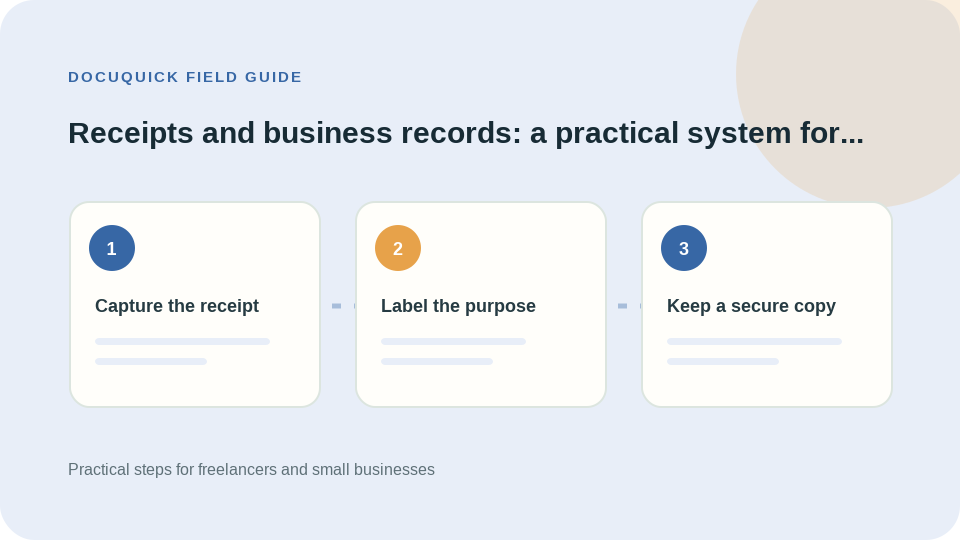
Receipts fade, inboxes fill, and staff forget what a purchase was for. Capture the document soon after the transaction. A practical routine is to photograph or download the receipt, check that the image is legible, add a short business-purpose note, and place it in the period or transaction folder. If the receipt is digital, save the original file rather than only a screenshot of a confirmation page.
When scanning paper, capture the whole document, including date, merchant, item details, total, and any tax information. Check that the image is in focus and no edge is cut off. If the paper contains writing on both sides or a second page, capture both. Preserve the original when your rules or business policy require it. A blurry photo with no readable merchant name is not improved by keeping several copies.
Record a brief explanation while the reason is fresh. “Lunch” is less useful than “working meal with client at project kickoff,” if that description is accurate and permissible under local policy. Do not invent business purpose after the fact. If a purchase was partly personal and partly business, note the allocation basis and seek guidance on how to record it.
Organize files so they can be found
Choose a predictable naming scheme and use it consistently. A filename might include the date, merchant or client, amount or currency, and transaction identifier. Avoid names that expose unnecessary personal data. For example, “2026-08-14_StudioSupply_project-48_receipt.pdf” is usually easier to search than “scan003.pdf.” Do not put bank account numbers, full card numbers, or sensitive customer details in filenames.
Organize records by year and then by a category that fits how you work, such as sales, expenses, payroll, tax, or project. If you have many transactions, accounting software or a document-management system can link records directly. If using folders, keep the structure shallow enough that you can explain it to someone else. A system with elaborate categories that nobody maintains is worse than a simpler system used every week.
Keep a transaction register with fields that support your workflow: date, counterparty, amount, currency, category, invoice or receipt number, payment status, tax treatment if established, and the file location. Store only data you need and restrict access. Record the status as known: paid, part-paid, unpaid, refunded, disputed, or under review. Do not label an amount deductible or tax-exempt merely because it appears in a category.
Match receipts with payments and invoices
Reconcile records periodically instead of waiting for a year-end review. Compare invoices issued with bank deposits and payment-provider reports. Match vendor receipts with card or bank transactions. Investigate amounts that differ because of processing fees, exchange conversion, split payments, tips, refunds, or bank charges. The gross amount paid by a client can differ from the net amount deposited in your account.
For each match, record how you resolved the difference. Suppose an invoice is for 500, but a payment provider deposits 485 after withholding a 15 fee. Record the client’s payment at the gross amount and the provider fee separately according to your accounting method; do not mark the invoice partially unpaid simply because the bank deposit is lower. The exact bookkeeping entries depend on your system and local accounting rules.
If a client pays several invoices in one transfer, keep the remittance details that allocate the payment. If one invoice is paid in installments, record each amount and date against the same invoice. If a payment arrives without a clear reference, ask the client or compare the amount, date, and context. Avoid guessing when multiple balances could match.
For refunds, preserve the original sale or expense evidence and retain the refund confirmation. Link the refund to the original transaction and note whether it is full or partial. A refund may have tax or reporting implications; follow the rules and accounting treatment that apply rather than deleting the original transaction.
Keep a reliable record of your own sales
For each client sale, retain the accepted scope or order, the final invoice, evidence of delivery or the billable milestone where relevant, payment records, and any credit or correction. Keep the version actually sent, not just the editable template. If a client requires a portal submission, save its acknowledgement or status in addition to the PDF.
When issuing a receipt, make the payment event clear. Identify the payer or customer as appropriate, the date received, the amount and currency, and the invoice or order the payment relates to. Show whether the payment settles the full balance or only part of it. Do not mark the invoice paid until your payment process confirms the funds or transaction status.
If the payment method can later be reversed, such as a card dispute, preserve the provider’s confirmation and subsequent notices. Keep the receipt’s purpose narrow: it confirms a transaction event, while the invoice or agreement explains the charge and the accounting record explains its classification. If a customer asks for a receipt after payment, provide one that matches the actual payment rather than rewriting the invoice.
Create an expense evidence checklist
Before filing a business purchase, check:
- Is the merchant and purchase date readable?
- Does the itemized detail explain what was bought?
- Is the amount and currency visible?
- Is tax separately shown where the seller provides that information?
- Can you connect the receipt to the bank or card transaction?
- Is there a short, accurate note explaining the business purpose?
- Was the purchase approved if your policy requires approval?
- Is it entirely business-related, or must a personal portion be separated?
- Is delivery, warranty, or asset information relevant?
- Have you retained the original digital record or a legible scan?
If a receipt is missing, do not manufacture one. Preserve alternate evidence such as a bank statement, order confirmation, vendor email, or a contemporaneous note describing the transaction, and follow your local record rules. Ask the supplier for a duplicate when possible. Mark the evidence as incomplete so that an adviser or reviewer can distinguish it from a complete receipt.
Manage access, backups, and retention
Business records can contain client names, purchase details, addresses, project data, and payment references. Keep them in a controlled location with access limited to people who need them. Use strong account security, protect devices, and avoid sending full financial records through a channel that is not appropriate for the information. Remove access when a worker or contractor no longer needs it.
Back up digital records in a way that protects against device loss, accidental deletion, ransomware, or account lockout. A backup should be separate enough from the working copy to survive a common failure. Test restoration periodically: a backup you cannot open is not useful. For paper records, protect against water, fire, and unauthorized access; digitization may help but does not automatically replace legally required originals.
Retention requirements vary. Some records must be kept for a specified period, and the period may depend on the document, tax, entity, audit, or dispute. Keep a retention schedule based on reliable official guidance. Do not delete records solely because the client has paid, the year has closed, or an account has been reconciled. Conversely, do not retain personal information forever without purpose; follow applicable privacy and retention rules.
Set up a weekly routine
Choose one short weekly time to process incoming receipts and outgoing invoices. Download documents from email and vendor portals, capture paper receipts, add missing business-purpose notes, and associate each record with the transaction. Reconcile recent bank or card activity while details are easy to remember. Put unresolved items on a review list rather than silently forcing them into a category.
At month end, check for missing invoice numbers, receipts without a corresponding transaction, payments that have not been allocated, and refunds that are not linked to originals. Compare the bookkeeping register with bank and payment-provider statements. Confirm that file links work and that shared folders have the right permissions. A small, regular review makes errors visible before they become difficult to reconstruct.
If the business grows, define who captures documents, who approves expenses, who reconciles accounts, and who can change vendor or bank details. Separate duties where practical. In a one-person business, a second review by an accountant or trusted adviser may be useful for unusual or material items. Keep a written procedure for exceptions, such as missing documents or disputed charges.
Common record-keeping traps
- Saving only a card slip that omits what was purchased.
- Keeping a bank statement without recording the business purpose.
- Filing a receipt under a generic name that cannot be searched later.
- Treating a payment processor’s net deposit as the client’s gross payment.
- Deleting the original invoice after issuing a credit or correction.
- Recording a refund without linking it to the original transaction.
- Assuming a photo is readable without opening and checking it.
- Relying on one device or mailbox as the only archive.
- Using tax categories without checking whether they fit the transaction.
- Keeping no note when a transaction is split between business and personal use.
Example: trace a small project payment
A consultant completes a workshop for an agreed 900 fee and sends an invoice with a unique number. The client pays by card. The processor confirms 900 paid but deposits 873 after a 27 processing fee. The consultant keeps the accepted quote, workshop attendance record, invoice, processor transaction report, bank deposit, and fee statement together.
In the bookkeeping record, the client balance is cleared for 900, while the payment fee is recorded separately using the business’s accounting method. The receipt confirms the 900 payment and references the invoice; it does not claim that 873 was the agreed fee. If the client later disputes the card payment, the consultant can retrieve the invoice, acceptance, and evidence of delivery without searching unrelated email threads.
This example shows why “receipt” and “bank deposit” are not interchangeable. Each item contributes a different piece of evidence. A record system is strong when the pieces can be traced and their relationship is understandable.
A simple filing policy to maintain
Write a short policy that answers where records go, how files are named, who can access them, when transactions are reviewed, how missing receipts are handled, and how long each category is retained. Keep it simple enough to follow during a busy week. Review the policy when you change software, add payment methods, hire staff, operate in another location, or receive updated professional advice.
Do not treat the policy as a substitute for accounting judgment. It is a consistency tool. When a transaction is unusual, record the facts, preserve the evidence, and flag it for appropriate review. The goal is not to make every receipt prove every conclusion; it is to preserve enough reliable information that the business and its advisers can make correct decisions later.
Final review questions
Can you retrieve an invoice or receipt by date, client, merchant, or reference? Can you explain why a purchase was business-related without inventing a reason later? Can you match a client’s payment to one or more invoices and explain provider fees? Can you see corrections and refunds without losing the original history? Can the person responsible restore a record from backup? If any answer is no, improve the process with one specific change rather than replacing the entire system.
A practical records workflow is consistent, traceable, secure, and appropriate to the business’s scale. It respects the limits of each document, captures evidence while the facts are fresh, and makes unresolved issues visible. Use official local guidance for tax and retention obligations, and ask a qualified professional when the classification or required evidence is uncertain.