A bookkeeping workflow for invoices from issue to reconciliation
2,265 words · 11 min read · Updated 2026-11-26. General information, not legal or tax advice.
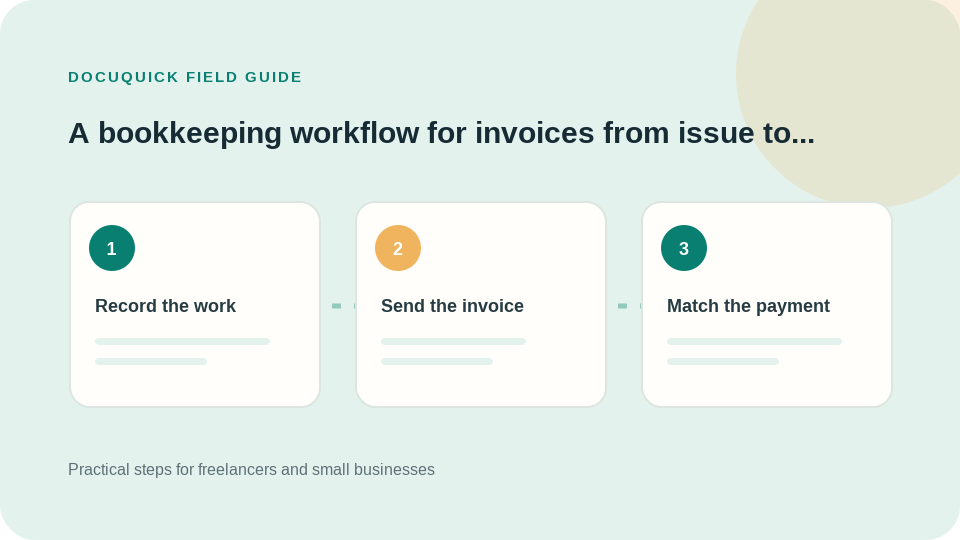
An invoice is one part of a bookkeeping trail. Issuing it records a request for payment; receiving money records a separate event; reconciling the two shows whether the customer balance is settled. If a business files PDFs but does not track status, payments, credits, and bank deposits, it may not know which invoices are genuinely outstanding or whether income was recorded twice.
This guide is for freelancers and small businesses establishing a repeatable workflow from quote approval through invoice reconciliation. It covers a practical register, document controls, month-end review, and handoff to an accountant. It is not accounting or tax advice. Accounting methods, invoice timing, revenue recognition, tax reporting, retention, and audit requirements depend on the business and jurisdiction. Ask a qualified professional how to configure your books.
Separate the key bookkeeping events
An approved quote or order establishes what the client agreed to buy. Delivery or a milestone may determine when billing is permitted. An invoice records a charge or payment request. A receipt or payment-provider record documents money received. A credit note or adjustment changes the billed amount. A bank statement confirms the amount deposited or withdrawn. Each event should be recorded once and linked to the others.
Do not treat invoice issue, payment, and deposit into a bank account as one event. With a card processor, the client can pay the full invoice while the provider deposits a lower amount after fees. If you record only the net deposit as income, you may misstate sales and omit the processing expense. The proper entries depend on your accounting method, but the records should explain gross payment, fees, and net settlement.
Likewise, an invoice can be sent but not accepted by a client portal. A draft can exist without being issued. A receipt can confirm a payment but not the scope. Keep statuses that accurately describe the event instead of using one “done” checkbox.
Choose a source of truth
Select accounting software or a register that fits your volume, required reporting, and adviser’s process. A spreadsheet can work for a small number of invoices if it is protected, consistently maintained, and reconciled. Software can reduce manual calculations but still requires correct setup, review, and backups. More features do not guarantee accurate books.
Decide where the authoritative invoice copy lives and how supporting documents are linked. Avoid keeping a different “final” invoice in email, desktop folders, and accounting software with no clear version. Restrict editing rights, use backups, and export data regularly enough to avoid vendor lock-in. Confirm that the system preserves a traceable history when documents are corrected.
Design an invoice register
A register should answer what was billed, to whom, when, why, how much, whether it was submitted, what was paid, and what action is next. Useful fields can include:
- Invoice identifier and issue date.
- Client legal entity and contact.
- Project or purchase-order reference.
- Service period or delivery milestone.
- Currency, subtotal, tax fields, and total.
- Due date and payment terms.
- Submission channel and acceptance status.
- Payment dates, amounts, and references.
- Credits, refunds, and outstanding balance.
- Link to the invoice and supporting agreement.
- Follow-up owner, last contact, and next action.
Do not collect sensitive information you do not need. Keep access limited, particularly if the register includes client addresses, tax identifiers, or payment references. Use validation or formulas cautiously and test them with sample records. Protect formula cells and retain a backup before changing the structure.
Establish a controlled invoice sequence
Use unique identifiers and define who can issue them. A sequential series may help spot missing records, but local rules or software requirements can affect the approach. Do not reuse numbers when an invoice is cancelled. Record voids and corrections according to your process so that gaps are explainable.
Separate draft, issued, and cancelled states. An invoice becomes issued when it is sent or otherwise formally provided under your process, not merely when a PDF is generated. Save the exact copy delivered to the client and the evidence of submission. If a system allows edits after issue, understand whether those edits alter historical records or generate a new version.
Convert approved work into an invoice
At a regular billing point, start from approved scope, delivery records, time logs, or milestone completion rather than memory. Confirm the client entity, billing references, description, quantities, agreed rates, approved extras, taxes, and due date. Compare the total to the quote and account for deposits or credits. Use the client’s required portal or email.
If work changed, verify that the client approved the change before including it. Keep the approval with the invoice record. If the work was time-based, reconcile hours with your time log and any cap. If reimbursable costs are billed, retain the receipt and confirm the agreement permits the charge.
Mark the invoice as issued only after it has been sent through the correct process. Record the date, destination, status, and any portal confirmation. If the portal rejects it, retain the reason, correct the issue, and update the status; do not erase the first attempt.
Reconcile payments correctly
Review bank and payment-provider statements against the receivables register. Match each payment using amount, date, payer, reference, and remittance advice. When a client pays several invoices in one transfer, allocate the payment to the listed invoices. When an invoice is paid in installments, record each one against the same balance. Keep unresolved deposits in a review status rather than forcing a match.
For payment processors, compare gross customer payments with fees, refunds, chargebacks, and net payouts. A payout may contain transactions from several customers and several days. Use the provider’s settlement report to reconcile the components. Do not treat a net batch deposit as a single customer payment.
For an illustrative example, a client pays an invoice of 1,000 through a provider that deducts 30. The provider deposits 970. Your books should preserve evidence of the 1,000 payment, the 30 fee, and the 970 deposit in the way your accounting method requires. If the client paid only 970 directly and no fee was charged, the invoice may remain short by 30. The facts and the agreement determine which is correct.
Handle credits and corrections in the books
If an invoice is adjusted, retain the original and record a credit, correction, or replacement according to your accounting system and local rules. Link the adjustment to the original identifier and document its reason. Recalculate the open balance and tax fields. If the invoice was reported in a prior period, ask your accountant whether a return or ledger correction is required.
For refunds, record the actual outflow and connect it to the original sale or payment. A credit note without a refund may reduce an account balance; a refund without a credit may leave the sales record overstated. The correct entries can vary, so use professional guidance for tax or reporting decisions.
Review receivables routinely
At least as often as your business needs, review invoices that are due soon, overdue, disputed, rejected, or awaiting approval. Confirm that each one has an accurate amount and next action. Follow up according to agreed terms. Do not continue to show an invoice as open after payment has been received and allocated.
An aging view can group balances by how long they have been outstanding. Use it as a management tool, not proof that a client will not pay. For each older item, verify the due date, dispute status, portal acceptance, payment history, and client communication. Escalate only after checking the relevant agreement and local rules.
If several invoices are delayed for the same administrative reason, fix the upstream process. Add required purchase-order fields to client onboarding, submit through the correct portal, or adjust the billing calendar. Repeated reminders will not solve a systemic submission problem.
Month-end close checklist
- Confirm every completed billing event was invoiced when required.
- Check that no draft is mistaken for an issued invoice.
- Reconcile invoice totals with approved quotes and changes.
- Match bank deposits and provider payouts to customer payments.
- Record fees, foreign exchange, refunds, and chargebacks appropriately.
- Allocate combined or partial payments to the correct invoices.
- Review open credits, deposits, and unapplied cash.
- Investigate duplicate, missing, or cancelled invoice numbers.
- Verify tax fields and reporting setup with your accounting guidance.
- Save statements, portal confirmations, and supporting documents.
- Back up the register and confirm key links still work.
The checklist is not a substitute for a formal close policy. Adjust it to your system and responsibility structure. A business with employees, inventory, multiple currencies, or regulated services may need additional controls.
Keep a clean audit trail
Record who approved an invoice, who changed it, and why when those controls are relevant. Use version history or system logs. Store supporting documents in a consistent location and link them to the transaction. Avoid changing a billed amount directly in a cell with no note; make a traceable adjustment through the correct process.
When a client disputes a line, retain the original invoice, the dispute, the evidence reviewed, and the resolution. If the result is a credit or correction, update the books and receivables register. This helps an accountant understand the sequence without relying on informal recollection.
Example: monthly freelance billing
A freelancer tracks work by client and project throughout the month. At month end, they compare time entries with the signed scope, remove non-billable internal work, and identify an approved extra. They prepare one invoice per client, include purchase-order references, and submit through each required portal. The register records submission status and the due date.
When a payment arrives, the freelancer matches it to the invoice using the remittance email and bank reference. One payment is lower because the client deducted a withholding amount; the freelancer requests the official documentation and asks an accountant how to record it. Another payment arrives as a provider payout net of fees, and the settlement report separates gross payment from charges. The invoices are not marked fully paid until the balances are correctly resolved.
At month end, the freelancer reviews unresolved items and schedules follow-up. They back up the register, keep invoice PDFs and supporting records together, and send the accountant an organized report rather than a folder of unrelated scans.
Common bookkeeping traps
- Recording an invoice as paid when only a payment instruction was sent.
- Treating a bank deposit as the same amount as the client’s gross payment.
- Deleting the original invoice after a credit or replacement.
- Recording the same sale from both the invoice and the payment import.
- Ignoring unapplied cash or a customer credit balance.
- Failing to preserve portal rejection and acceptance statuses.
- Using an invoice number for both a draft and a different final document.
- Reclassifying tax or revenue without professional guidance.
- Keeping the only copy in a personal email account or on one device.
- Letting an outdated spreadsheet formula silently change totals.
Coordinate with an accountant
Ask your accountant how invoices, advances, credits, payment fees, foreign currency, taxes, and bad debts should be recorded for your entity and reporting method. Agree on a chart of accounts or software setup and the records they need at year-end. Bring questions with sample transactions and supporting documents rather than guessing at categories.
Professional advice is especially important when you change jurisdictions, cross a registration threshold, hire workers, sell goods internationally, receive withholding, or need to correct a prior filing. Keep the accountant’s guidance in writing and update your procedure when the rules or business model change.
Change bookkeeping systems without losing the trail
Moving from a spreadsheet to accounting software is a data migration, not a reason to discard the old register. First choose a cutover date and decide which system will hold new invoices from that day onward. Keep the old records read-only where practical, and export a dated copy before importing anything. If you enter transactions in both systems temporarily, label the overlap period and define which copy is authoritative; otherwise a payment import can create duplicates.
Before the switch, map each old field to its new equivalent. Compare invoice identifiers, client names, dates, currency, tax fields, original totals, credits, amounts paid, open balances, and status. A field that was stored as free text may need a structured value in the new system. Do not silently convert an unknown tax category or currency code. Write down any mapping assumptions and have an accountant review changes that affect historical reporting.
Test a small sample before migrating the whole register: one paid invoice, one partially paid invoice, one overdue item, one credit, and one foreign-currency transaction if relevant. Confirm that the opening balance agrees with the old system and that supporting PDFs and payment evidence are still accessible. Keep a reconciliation report showing record counts and any differences. If a number changes, trace why before proceeding.
After cutover, review the first billing cycle more carefully than usual. Confirm that no invoice was sent from both systems, payments are imported once, and clients still receive documents in the agreed format. Retain the old exports and migration notes according to your record-retention obligations. A careful transition preserves the story behind each balance and gives an adviser something concrete to review if a discrepancy appears later.
Final principle
Good invoice bookkeeping is a chain: approved work, issued invoice, submission evidence, payment, reconciliation, and any adjustment. Keep each event distinct, link them with identifiers, and review the open balance against actual records. A small, consistent workflow gives you more reliable cash visibility and makes professional review easier without pretending that bookkeeping software decides tax or legal questions for you.