How to write an invoice: a practical guide for freelancers
2,965 words · 14 min read · Updated 2026-11-26. General information, not legal or tax advice.
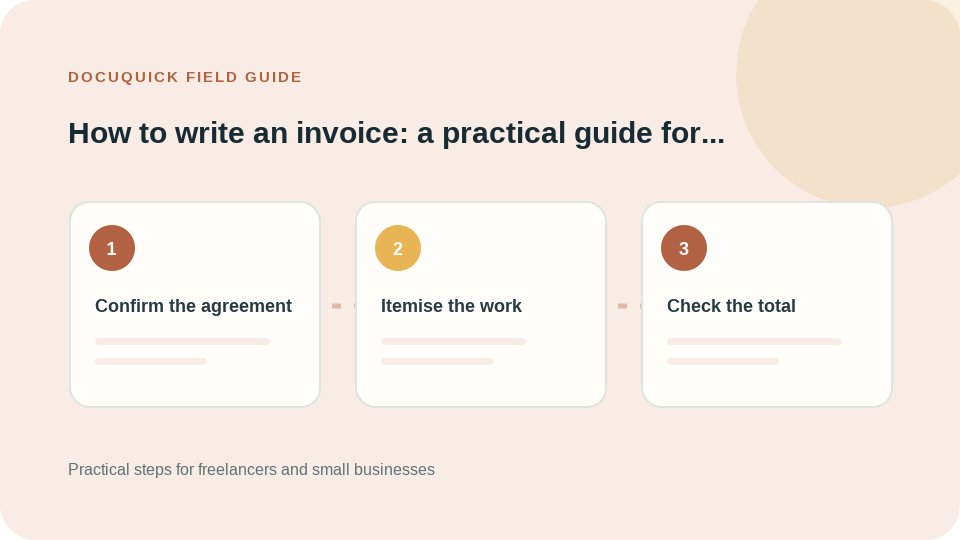
An invoice is a request for payment and a record of what you say was supplied. It should let a client understand, without guessing, who is billing them, which work or goods are covered, how the amount was calculated, when payment is expected, and where the money should go. A polished layout helps, but accuracy and a clear connection to the agreement matter more than decoration.
This guide is for a freelancer or small business preparing an ordinary invoice for a client. It covers the information to gather, how to describe work, how to check the arithmetic, and how to send and retain the document. Tax rules, mandatory fields, invoice timing, numbering requirements, and record-retention periods vary by location and business type. Treat the examples as drafting aids, not local legal or tax advice. If your circumstances are regulated or unclear, check official guidance or ask a qualified adviser.
Start with the agreement
Before opening a template, find the accepted quote, contract, purchase order, or written approval that authorizes the work. Compare the billing event with what you agreed: a completed project, a scheduled instalment, a monthly period, delivered goods, or another milestone. The invoice should not silently change the price, scope, payment deadline, or billing basis.
Gather the client’s invoicing instructions as well. A client may require a particular legal entity name, billing address, purchase-order reference, project code, portal, file format, or accounts-payable email. These are administrative requirements, not permission to change your deal. Ask the client contact to confirm missing details before sending; guessing can route a correct invoice into a rejection queue.
Make a small pre-draft checklist:
- Locate the approved scope and price, including any written changes.
- Confirm what event makes the fee billable and the date it occurred.
- Check the exact billing name, address, and delivery channel.
- Find the agreed payment period and any required reference numbers.
- Identify whether tax applies to this transaction under the rules where you operate.
- Decide which evidence is relevant, such as a milestone acceptance or time summary.
Keep the source documents together with the draft. If a number later looks unfamiliar, you can explain where it came from instead of reconstructing the decision from memory.
Add the identity and reference details
An invoice normally identifies the person or business issuing it and the client being billed. Include names and contact or address details that are appropriate for the transaction and required by local rules. Use the actual contracting or billing entity, not a familiar brand name if the client’s accounts team needs a registered name. Where an entity has several branches, use the address specified for invoices.
Add a unique invoice identifier and issue date. A simple sequence can be easy to maintain, but choose a method that works for your volume and applicable rules. Never reuse an identifier for a different invoice. If an invoice is cancelled or corrected, preserve a clear link between the documents rather than deleting the history. Some jurisdictions prescribe sequencing or other details, so verify before settling on a numbering policy.
If the client provided a purchase-order number, project code, or supplier identifier, place it where it is visible. Such references help accounts staff match an invoice to an approved purchase. They are not substitutes for a description of the work, and an invented reference is worse than a blank one. Ask for the correct value if the client says it is mandatory.
Use dates precisely. The issue date is when the invoice is prepared or sent according to your process; the service period or delivery date records what the charge relates to. Do not label a date as a due date unless the terms make it so. If a billing period crosses months, state its start and end dates instead of using a vague phrase such as “last month.”
Describe each charge so it can be checked
Each line item should tell the reader what was provided and how its amount was calculated. “Consulting” or “design work” may be too broad when several types of work were commissioned. Prefer a concise description tied to a deliverable, service period, agreed rate, quantity, or milestone. Include enough detail for a client to recognize the work while avoiding unnecessary private information.
For hourly work, show the service category, hours, rate, and line total when that level of detail is appropriate. For a fixed-fee project, identify the deliverable or phase and state the agreed fee; do not imply that the client is being charged for a number of hours if the deal was a fixed price. For goods, describe the item and quantity, and include relevant unit price or identifiers where useful. For reimbursable expenses, name the category and date or project, and follow the agreement on supporting receipts.
Separate different charges when combining them would hide the calculation. A single line called “Project costs” makes it hard to distinguish the agreed fee from travel, materials, or an approved extra. Separate lines let both sides spot a mismatch early. Conversely, do not split a single fixed fee into invented subcharges merely to make the invoice look detailed. The itemization should reflect the commercial arrangement.
Consider this illustrative example: a client approved a fixed fee for a landing page and separately approved two hours of accessibility review at an hourly rate. The invoice can show “Landing page design and delivery, agreed fixed fee” and “Accessibility review, 2 hours at the agreed hourly rate.” It should not describe the fixed-fee page as a number of hours unless that was the pricing basis. If the review was not separately authorized, do not add it simply because time was spent.
Check quantities and units. “3” has little meaning without “hours,” “sessions,” “items,” or another unit. Show a rate beside the quantity where rates are part of the agreement. If a discount applies, make the basis understandable and ensure it was agreed. If an item is not chargeable, label it clearly as no-charge only when that helps prevent confusion; avoid adding irrelevant zero-value lines.
Calculate the amount due
For every line, verify quantity multiplied by rate, then check the line total. Add the lines to obtain the subtotal. Apply any agreed discount or adjustment in the correct order. If tax must be charged, determine the correct treatment for the transaction under local rules and show the tax basis and amount as required. Do not copy a tax rate from an old invoice without checking whether the same treatment applies.
Distinguish between tax collected on behalf of an authority and your own fee. A tax registration number, exemption wording, or tax breakdown may be required in some circumstances and not others. Do not claim that a supply is exempt, zero-rated, or outside scope merely because a previous client accepted similar wording. Cross-border, digital, and mixed-supply transactions can need specialist treatment.
Show the total due in a prominent place, with the currency stated unmistakably. If earlier payments or credits reduce the balance, identify them and calculate the remaining amount rather than presenting the original gross total as payable. Check that the total on the invoice matches the amount in any payment link. If the client must pay in a different currency, make the conversion basis and responsibility for fees clear in accordance with the agreement.
Perform an independent arithmetic pass:
- Recalculate each line from its quantity and rate.
- Add the line totals again, preferably with a calculator or accounting tool.
- Check discounts, tax, deposits already paid, credits, and previous instalments.
- Compare the total to the accepted quote or the specific milestone value.
- Confirm that decimal places and currency symbols have not been mixed.
- Make sure the final balance is the amount actually being requested now.
A one-cent rounding difference can occur when quantities or tax calculations have many decimal places. Follow your accounting method and applicable requirements consistently. Do not alter a line silently to force a desired total; record the reason for an adjustment and keep a traceable calculation.
Set out when and how to pay
State the payment terms in plain language. Provide a due date or a clear rule for calculating it, such as a number of days after issue, if that matches the agreement and local requirements. If a date is agreed, write the day, month, and year in an unambiguous format. A phrase like “net 30” can be interpreted differently by different readers; spelling out the due date avoids avoidable questions.
Offer usable payment instructions. Depending on your accepted methods, this may include bank-transfer details, a payment link, cheque instructions, or another method. Verify account numbers and links before sending. Be particularly careful when updating bank details: a client should be able to confirm a change through a known, independent channel, and you should not rely on an email alone if fraud is a concern. Never include sensitive payment information that is not needed to pay the invoice.
Explain who pays transaction or transfer fees if the agreement and local rules permit that allocation. Do not add a late fee, interest, collection charge, or other penalty unless it was properly agreed and is allowed where relevant. If you have a question about enforceability, do not make a legal conclusion from a template. Confirm the rule with a qualified source before applying the charge.
If the client has a defined payment process, include the required purchase-order reference, portal link, supplier identifier, or contact. Confirm whether the portal accepts attachments and what file types it allows. Keep a copy of the exact document submitted and any portal confirmation. If the client asks for a different channel later, verify the request with a known contact before sending financial documents to a new address.
Review the document before sending
Read the invoice from the client’s point of view. Can someone in accounts payable identify the supplier, match it to an approved job, see how the total was reached, confirm the due date, and pay without asking you to resend missing information? If not, fix the ambiguity before sending.
Use a final review checklist:
- The business and client identities match the agreement and billing instructions.
- The invoice number is unique, and the issue date is correct.
- Any purchase-order or project reference is present and accurate.
- The work description, period, and milestone match what was authorized.
- Rates, quantities, line totals, discounts, tax, and balance have been checked.
- Currency, due date, and payment instructions are unmistakable.
- Required tax or registration details have been checked for this situation.
- The saved file opens, has a useful filename, and contains no draft notes.
- The delivery address or portal is the approved one.
Export to a stable, readable format such as PDF if the client accepts it. Give the file a descriptive name that helps retrieval, for example an invoice identifier plus a short client or project name. Avoid putting confidential personal information in a filename. Open the exported file once; a broken font, clipped total, or missing page is easy to miss in an editor preview.
Send it with a useful message
Keep the accompanying email or portal note short and complete. Identify the invoice number, the service or period, the amount, and the due date. Mention any attachment that supports the charge, such as a milestone summary, only when relevant. Ask the client to tell you promptly if a required reference or billing detail is missing. Avoid adding emotional pressure or rewriting the commercial terms in the email.
For example: “Attached is invoice 1042 for the approved September content-editing work. The balance is 840 in the agreed currency and is due on 15 October under our payment terms. The purchase-order reference is PO-218. Please let me know if your accounts team needs a different submission format.” Replace every example value with verified details and use wording consistent with the agreement.
Send the invoice to the person or system that actually processes payments, while copying the project contact only if appropriate. If the client requires a portal, email may not count as formal submission. Save the sent email, delivery receipt, portal acknowledgement, and the final PDF in the same record. A sent message does not prove that the correct invoice reached the correct queue.
Keep a clean correction trail
If you spot an error before sending, correct the draft and retain the approved final version. If you find an error after sending, do not quietly overwrite the file in your records while leaving the client with the old copy. Contact the client, explain what is wrong, and issue a corrected document or other appropriate adjustment according to local rules and your accounting process. Preserve both the original and the correction, and link their identifiers.
For a small typo that does not alter identity, tax, amount, or payment terms, ask whether a corrected copy is needed and follow the client’s documented process. A change to the amount, tax treatment, billed entity, or supply may require a formal credit or replacement document. The correct mechanism depends on jurisdiction and accounting treatment; get advice where needed rather than improvising.
If the client disputes a line, keep the discussion specific. Identify the disputed item, compare it with the agreement and approval trail, and separate undisputed from disputed amounts only if doing so is allowed and does not misstate the balance. Record the resolution in writing. Do not erase the disputed charge and later reintroduce it without explaining the change.
Common avoidable mistakes
- Sending an invoice before the agreed milestone or delivery condition is met.
- Using a vague description that cannot be matched to the scope.
- Billing a different legal entity from the one that hired you.
- Adding unapproved work, tax, a fee, or a penalty without explanation.
- Leaving out the currency, reference code, due date, or payment method.
- Reusing an invoice number or altering a sent invoice without a trail.
- Sending it to a project manager when accounts payable needs the submission.
- Assuming a client received a file because it appears in the sent folder.
- Forgetting to account for a deposit, prior instalment, or credit.
Most of these errors are process issues, not design issues. A reusable checklist and a stable folder structure reduce them more effectively than adding decorative elements to a template.
Keep records that answer future questions
Save the final invoice exactly as sent, its supporting agreement or approved quote, evidence of delivery or milestone completion, any relevant client correspondence, and the payment record when received. Keep drafts separately or discard them according to your policy so that an obsolete version is not mistaken for the final request. Record corrections and credits alongside the original invoice.
Use a predictable naming scheme and consistent folders or accounting software. A useful record lets you answer: what was billed, why, to whom, when it was sent, what amount was paid, and whether anything remains outstanding. Reconcile invoices to bank deposits and payment-provider statements; payment-processing fees may mean the deposit differs from the gross amount paid by the client.
The retention period, required format, and tax records vary by jurisdiction and entity type. Do not delete records solely because a client paid or a project ended. Check official guidance for your obligations, and preserve records securely with access limited to people who need them. Back up the system and test that you can retrieve a document by invoice number, client, and date.
A repeatable monthly workflow
For a recurring client, choose a regular review day and process all completed billing events together. Start with the work log, accepted milestones, or delivery records rather than relying on memory. Match each charge to the agreement, identify exceptions such as approved extra work, then draft and review invoices. Send them through the required channel and record submission status.
Keep a simple status for each invoice: draft, approved, sent, acknowledged, part-paid, paid, disputed, or corrected. The status should describe what happened, not what you hope will happen. Add the date and evidence for each change. A portal marked “submitted” may not mean “accepted”; an email read receipt may not mean “approved.” Follow up based on verified status and agreed terms.
At month end, compare the invoice register with your accounting records and bank activity. Investigate duplicate numbers, unexplained gaps, payments that have not been matched, and invoices still marked as drafts even though they were sent. If you use software, confirm that edits to a customer, tax setting, or item description do not rewrite historical documents unexpectedly. Keep an export or backup consistent with local requirements.
A short pre-send decision test
Before pressing send, answer these questions in order. Is the client legally and operationally the right party to bill? Is this billing event allowed by the agreement? Can the client verify every charge from the line items and approvals? Is the arithmetic accurate, including prior payments and any tax treatment? Does the document state a usable due date, currency, and payment route? Is it going to the channel the client requires? Can you later prove exactly what you sent?
If any answer is no, pause and resolve the gap. If the missing item is administrative, ask the client’s accounts team. If it is about whether the work is billable or how an agreement should be interpreted, consult the person authorized to decide and record their response. If it concerns tax treatment, statutory wording, retention, or enforceability, check the relevant official rule or seek professional advice.
A reliable invoice is not complicated: it is a faithful, readable statement of an agreed payment request. Careful preparation reduces avoidable back-and-forth, supports bookkeeping, and gives both parties a record they can understand later. Build the process once, keep it current, and treat every sent document as part of the business record.